Video walls
Several TVs as one big picture, the same picture on each, or their own content.
Enterprise and the trial
Open Screens → Video walls and choose New video wall.
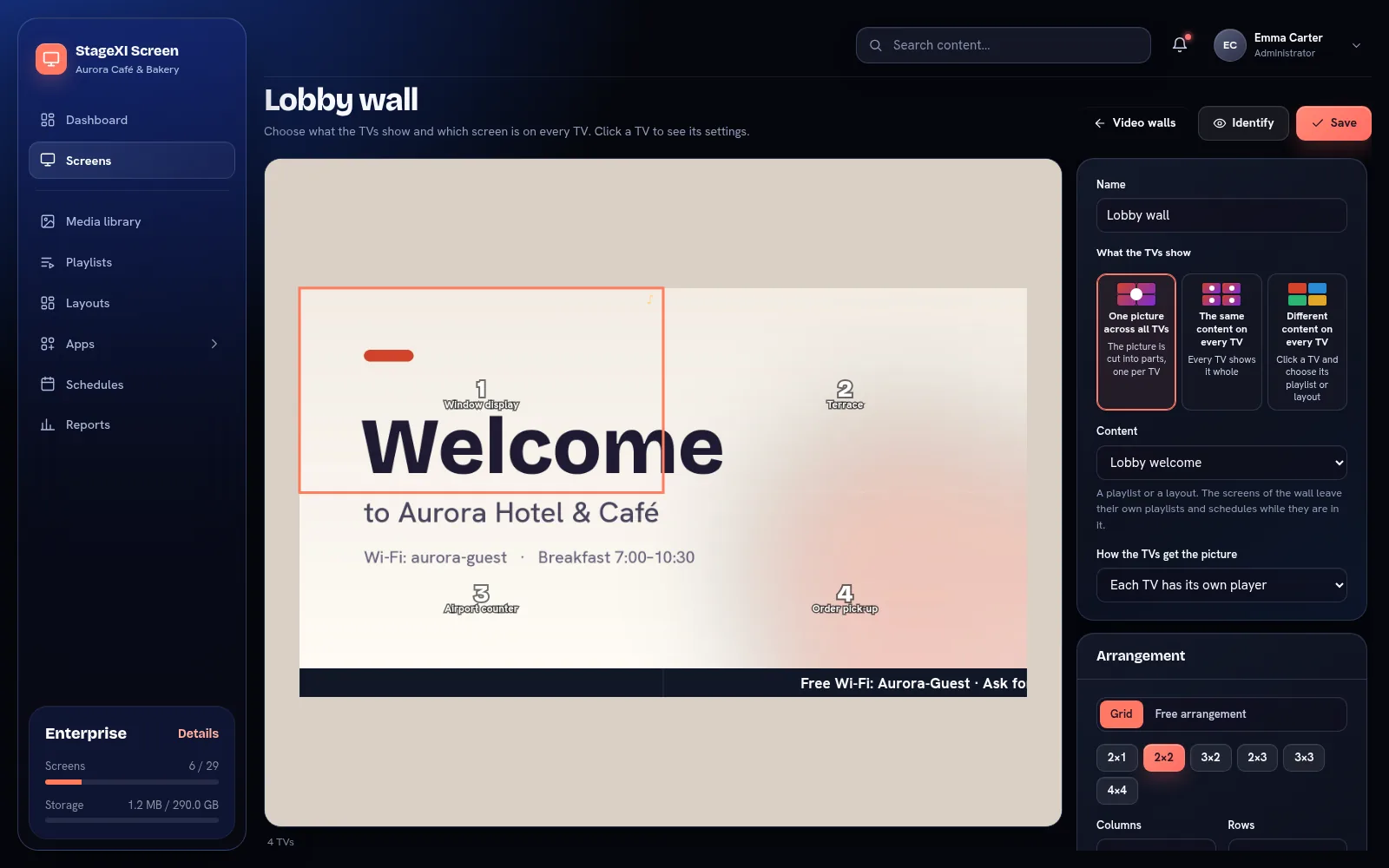
What the TVs show
- One picture across all TVs: the picture is cut into parts, one per TV.
- The same content on every TV: every TV shows it whole.
- Different content on every TV: click a TV and choose its playlist or layout.
The content is a playlist or a layout. The screens of the wall leave their own playlists and schedules while they are in it. The players keep in step with each other; one TV plays the sound.
Arrange the TVs
- Grid: choose 2×1, 2×2, 3×2, 3×3, 4×4 or your own columns and rows, then the TVs' size and shape. With bezel compensation, the picture passes "under" the TV frames.
- Free arrangement: place each TV where it hangs, in millimetres.
Click a TV on the plan to choose which screen plays there. Identify shows each TV's number on the wall, so you can check the order.
How the TVs get the picture
- Each TV has its own player: every TV shows its part.
- One player and a video-wall controller: one player (for example a PC with several outputs) gets the whole picture and the controller splits it.
Use identical TVs and the Windows or Android TV app for the best result.
Still need help?
Write to us and we will answer within one working day.