Schedules and priorities
Play different playlists by day and time, by themselves.
Starter and up
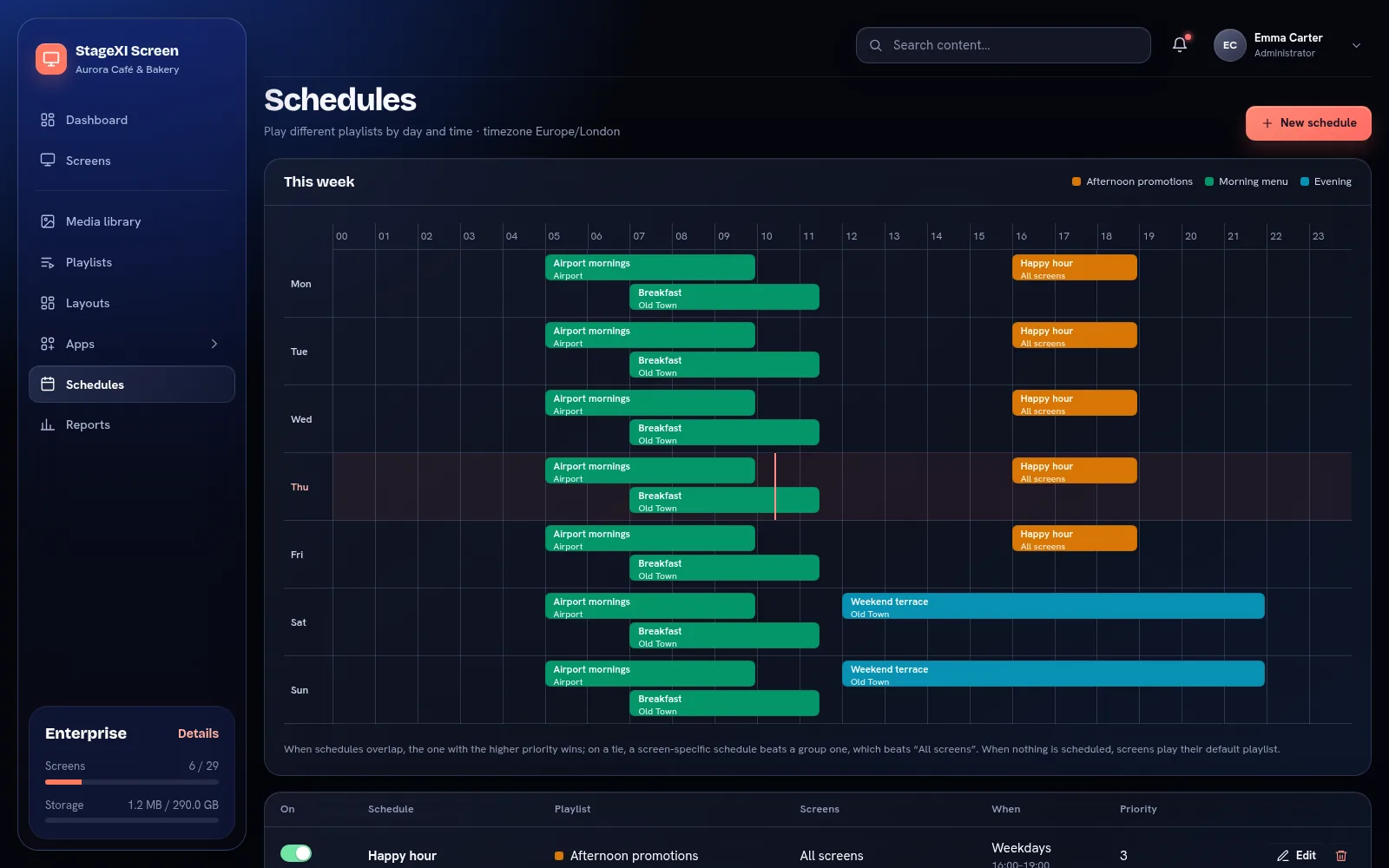
Create a schedule
Choose New schedule, or click a free hour in the calendar. Set:
- the playlist;
- the screens: all screens, a group or one screen;
- the days and the hours;
- optional start and end dates;
- the priority.
Drag a block in the calendar to move it, or drag its edges to change its hours.
Which schedule wins
When schedules overlap, the one with the higher priority plays. On a tie, a schedule for one screen beats one for a group, which beats one for all screens. When no schedule applies, the screen plays its default playlist.
Overnight schedules
A schedule from 22:00 to 02:00 runs across midnight. Change such schedules in their dialog.
Schedules use the account's time zone, shown at the top of the page.
Still need help?
Write to us and we will answer within one working day.