Playlists
Put content in order once and use it on any number of screens.
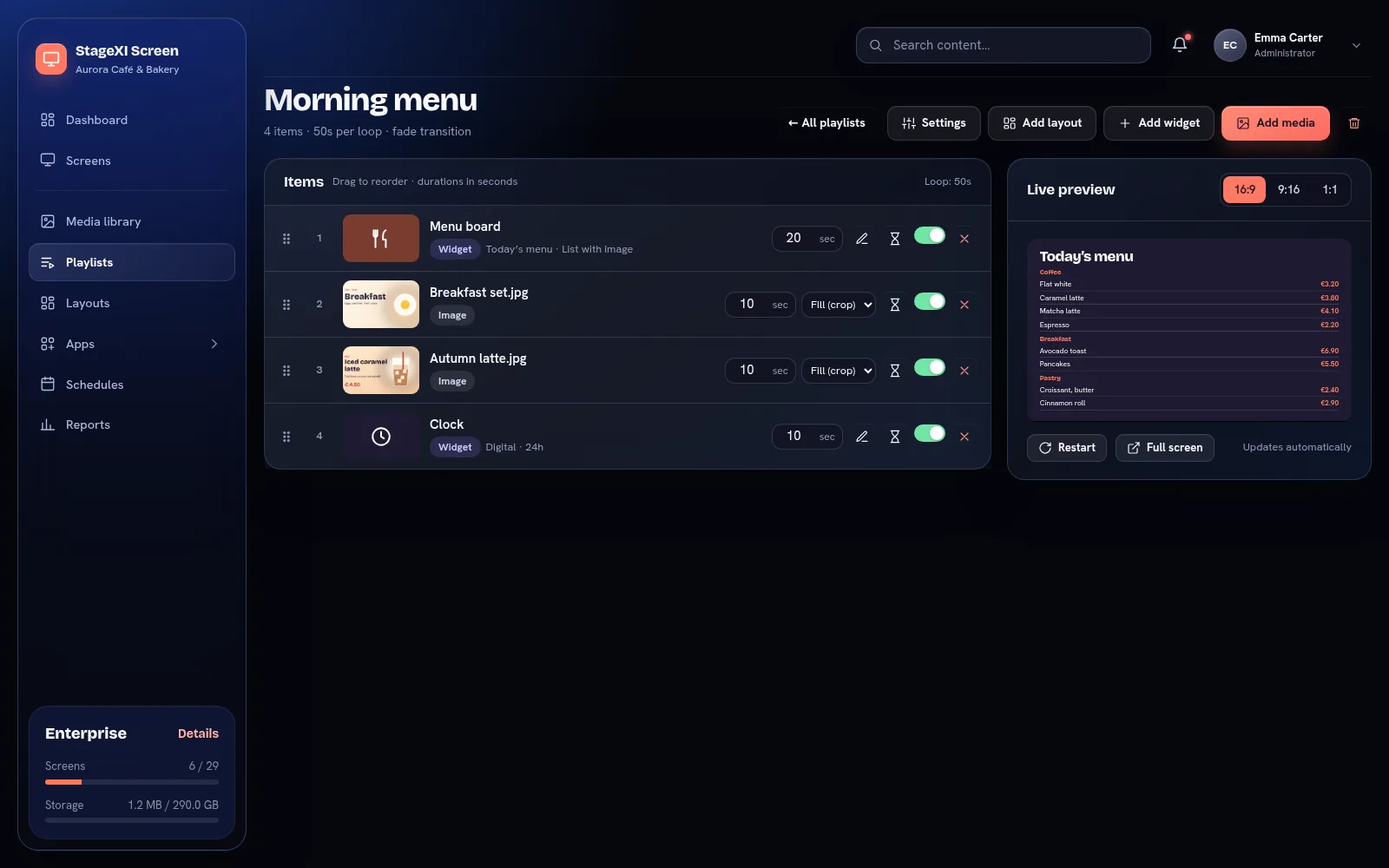
Add content
- Add media: files from the media library.
- Add widget: clocks, weather, apps and more.
- Add layout: a layout with zones.
Order and timing
Drag items by their handle to reorder them. For each item set:
- the duration in seconds (videos can play to the end);
- how it fills the screen: fill (crop), fit, or stretch;
- sound on or off for videos;
- whether it is on or off.
The Live preview shows the playlist as a screen would.
Settings
- Transition between items: fade, slide, zoom or none.
- Automatic order: by name, date added or expiry; new files go in their place by themselves.
- News ticker: a scrolling line with your text under the playlist.
- Default fit for new media.
Use it
Choose the playlist as a screen's default playlist, or play it at certain times with a schedule.
Still need help?
Write to us and we will answer within one working day.