Media library
Your images, videos and documents, in folders, with expiry dates and a recycle bin.
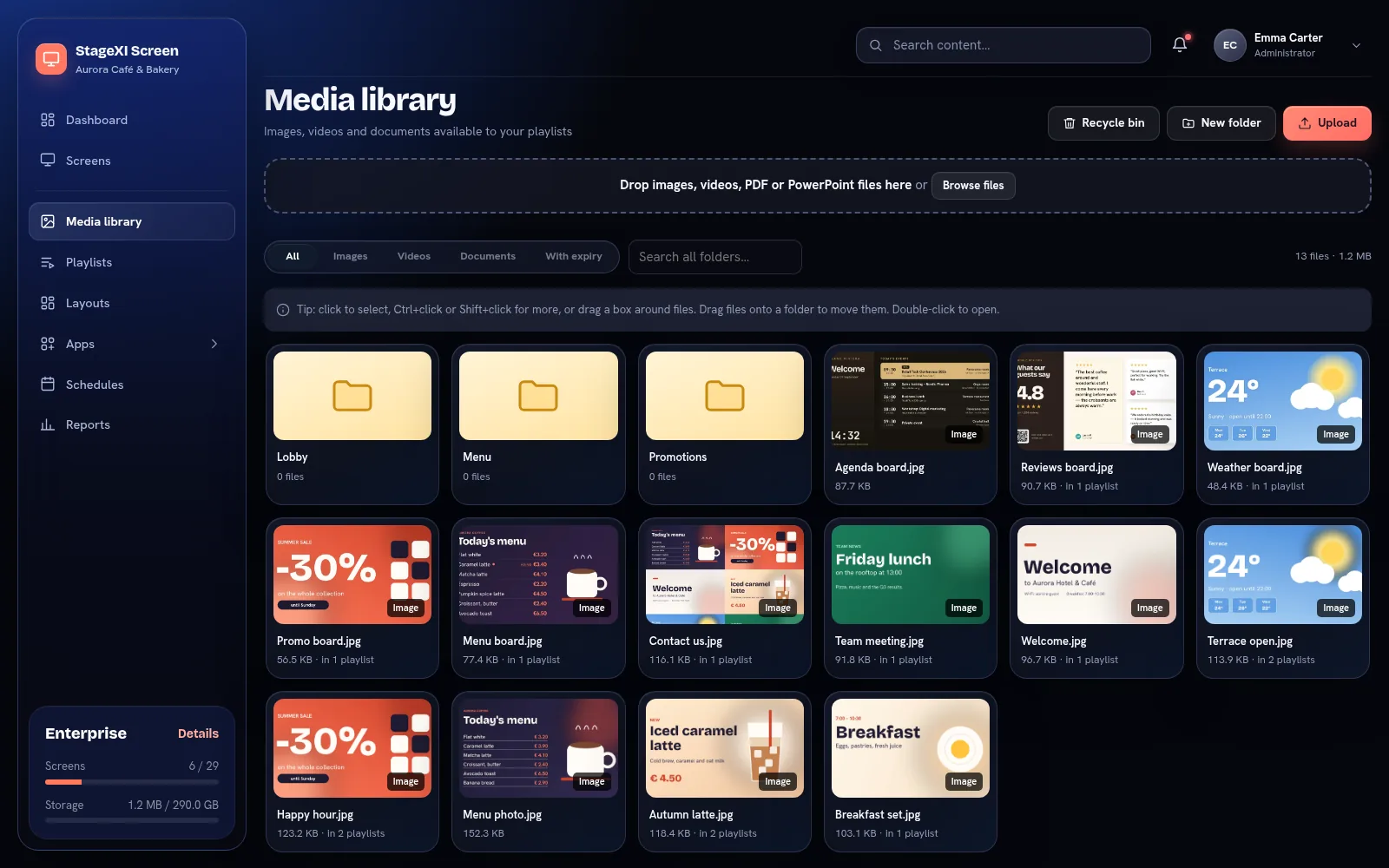
Upload
Choose Upload or drag files onto the page. Accepted:
- images: JPG, PNG, GIF, WebP, SVG, AVIF;
- videos: MP4, WebM, MOV;
- documents: PDF and PowerPoint (see PDF and PowerPoint).
The largest file and the total storage depend on your plan.
Folders
Create folders with New folder. Select files with a click, Ctrl or Shift, or drag a box around them, then drag them onto a folder to move them. Double-click a folder to open it.
From your phone
Photos and clips sent from the mobile app outside a folder go to a folder named Mobile. It is an ordinary folder: rename the files, move them or delete them like any others.
Expiry dates
A file can expire at a date and time. It then stops playing and is hidden from every playlist by itself. See Show from / until.
Recycle bin
Deleted and expired files are hidden from playlists and go to the Recycle bin, where you can restore them. Restoring makes them visible again in their previous playlist positions. The bin is emptied after the number of days set in the account.
For videos, MP4 files with H.264 play best on every device.
Still need help?
Write to us and we will answer within one working day.