Working hours and holidays
Screens go dark after closing time and wake up by themselves.
Open a screen's page and choose the Schedule & alerts tab.
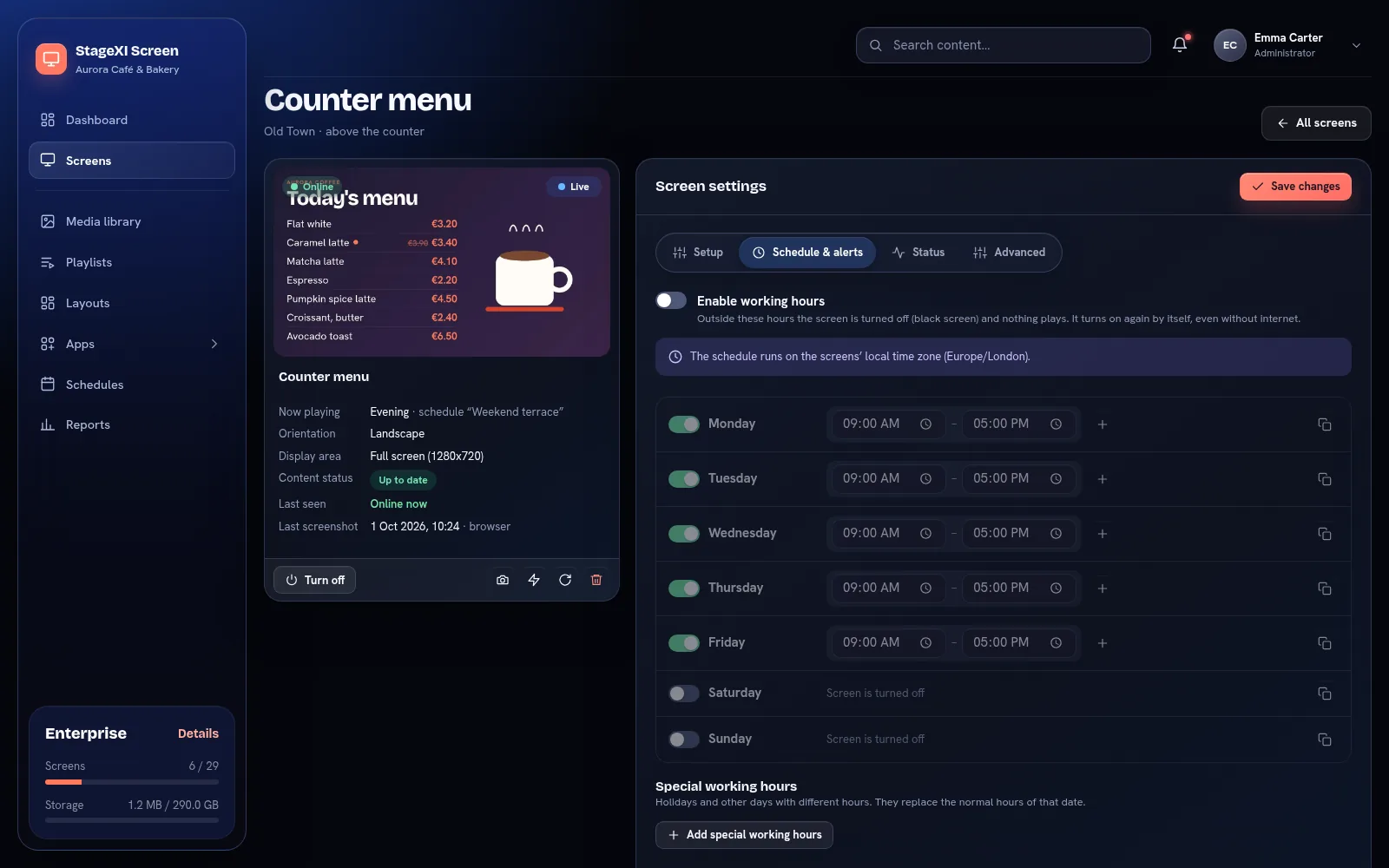
- Turn on Enable working hours.
- For each day, set one or more time ranges (for example 08:00–14:00 and 16:00–22:00). The last range can end at 24:00.
- Copy one day's hours to every day with the button at the end of its row.
- Add special working hours: holidays or events with their own hours, or closed all day. They replace the normal hours of that date.
Outside working hours the screen shows black. The player checks the hours by itself, even offline.
Prefer working hours to turning the TV's power off: the player stays connected and ready.
Still need help?
Write to us and we will answer within one working day.