Features

Everything you need to run your screens

From one TV in a café to screens in dozens of locations: content, scheduling, monitoring and teamwork in one simple panel.

Content

Everything you want on a screen, without a designer.
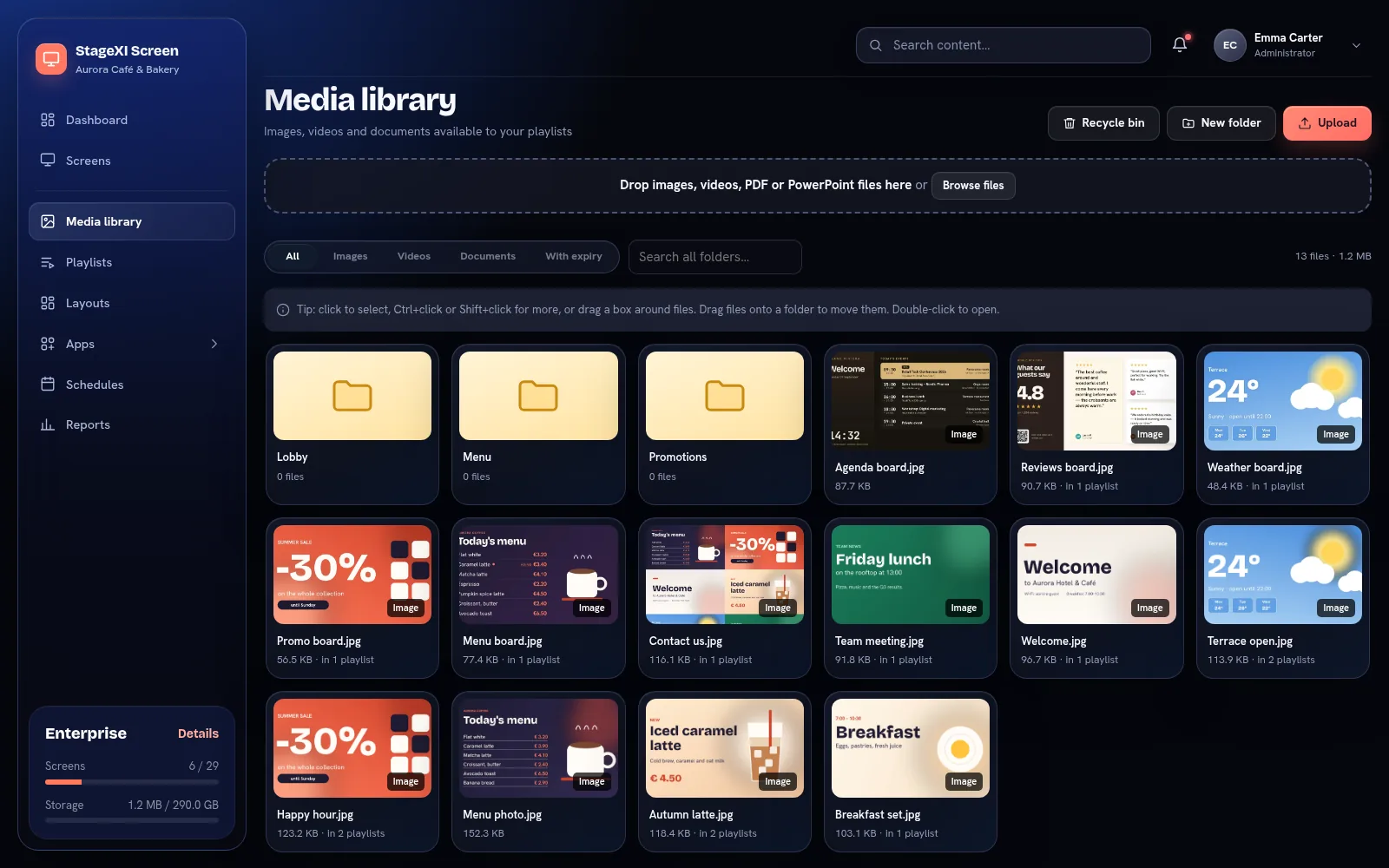
The media library

Images and videos

JPG, PNG, GIF, WebP, SVG and AVIF images; MP4, WebM and MOV videos, with or without sound.

PDF and PowerPoint

Documents are turned into pages that play one after another, each for as long as you want.

Media library

Folders, search, bulk move and copy, expiry dates for files and a recycle bin for mistakes.

Clock and date

Digital or analog, 12 or 24 hours, in any time zone, in your colours.

Weather

Current conditions and a 3 or 5 day forecast for any city. An animated style follows the real sky, day and night.

Announcements

A headline and a message on a colour, a gradient or a photo — ready in a minute.

QR codes

A scannable link with a title and a call to action.

Countdown

Days, hours and minutes to an opening, a sale or an event.

Web pages

Dashboards, timetables or any website, with zoom.

YouTube

Any video or live stream, muted or with sound, with or without the YouTube interface.

Google Slides

A published presentation that updates on screens when you edit it.

News (RSS)

The latest headlines from any news site, with pictures, one story at a time or as a list.
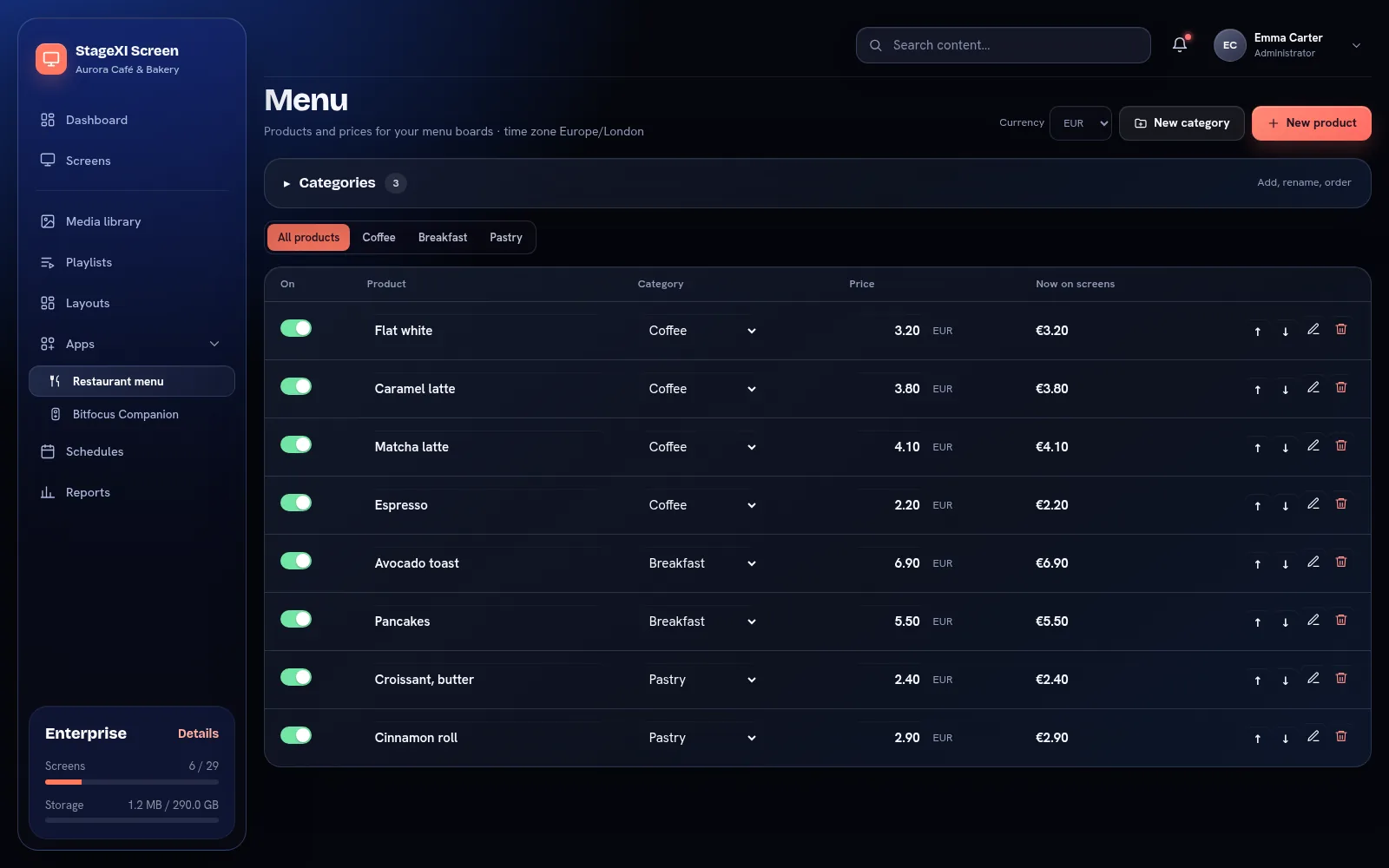
Business apps

Screens made for your trade, fed by what you type in the panel or on your phone.

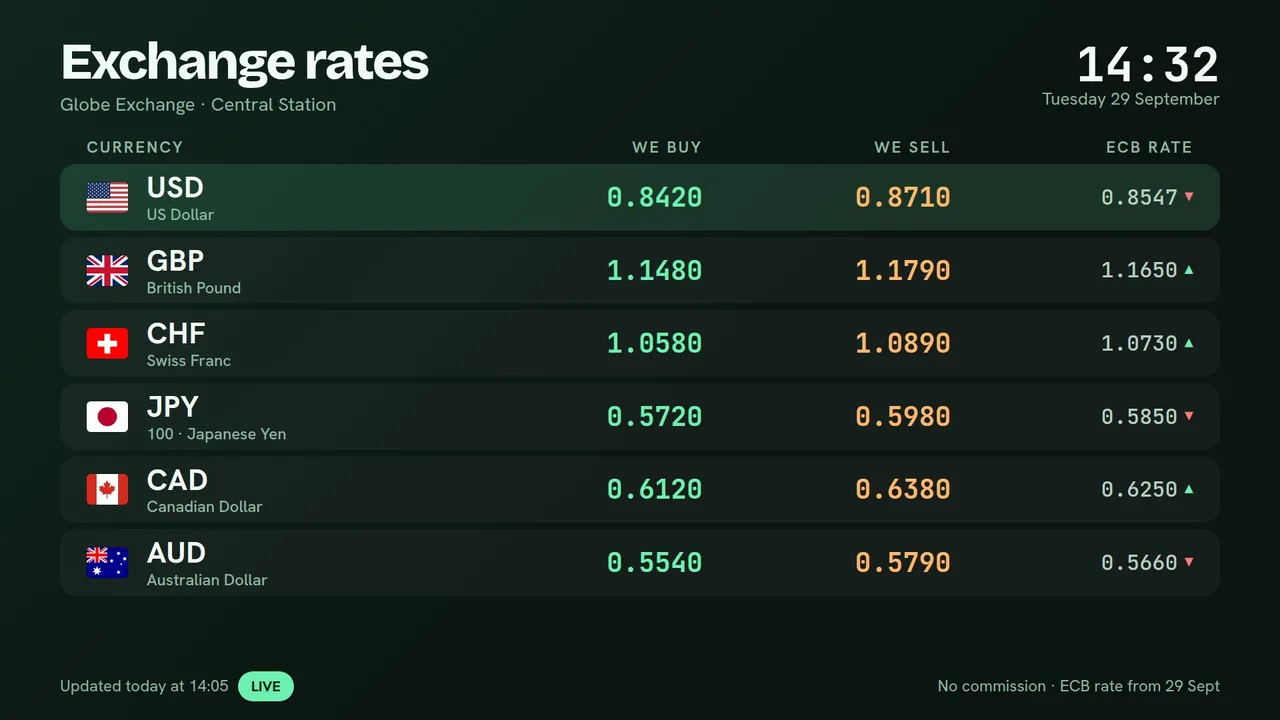
Exchange rates on a screen

Price list

Services and prices for shops, salons, car washes and service centres, with offers, badges and “unavailable today”.

Currency exchange

Buying and selling rates on screen within seconds of a change. The central bank’s rate can be shown or used to calculate yours.

Order pick-up

Staff tap a number on a tablet or phone; the screen calls it with a sound. Ready orders leave by themselves.

Queue and calling

Tickets from a kiosk tablet or printed at the desk. Each desk calls the next number; only numbers show on screen.

Agenda and room signs

The day’s events from Google Calendar, Outlook or typed in; a sign at each room’s door: in use or available.

Calendar

A Google or Outlook calendar as a month, a week, a day or a list of what’s next, with private details hidden.

Live stream

YouTube Live, Twitch, Vimeo or HLS streams on screen. When the stream stops, a message, a picture or the next item takes its place.

IP cameras

RTSP cameras and recorders from Hikvision, Dahua, Reolink, Axis and others, one camera or a grid, on our Windows and Android TV players.

Staff announcements

Notices that expire by themselves, a day counter for your team’s streaks, birthdays (with consent) and weekly goals.

Online table

A Google Sheets, Excel online or CSV table as a styled table or a ranking, updated every few minutes.

Reviews

Your Google rating and best reviews, filtered by stars and age, with a QR code to leave a review.

Made for any country

Screen texts in your language (and your own words), local number and time formats, your currency.

Playlists and layouts

Put content in order, once, and use it on any number of screens.

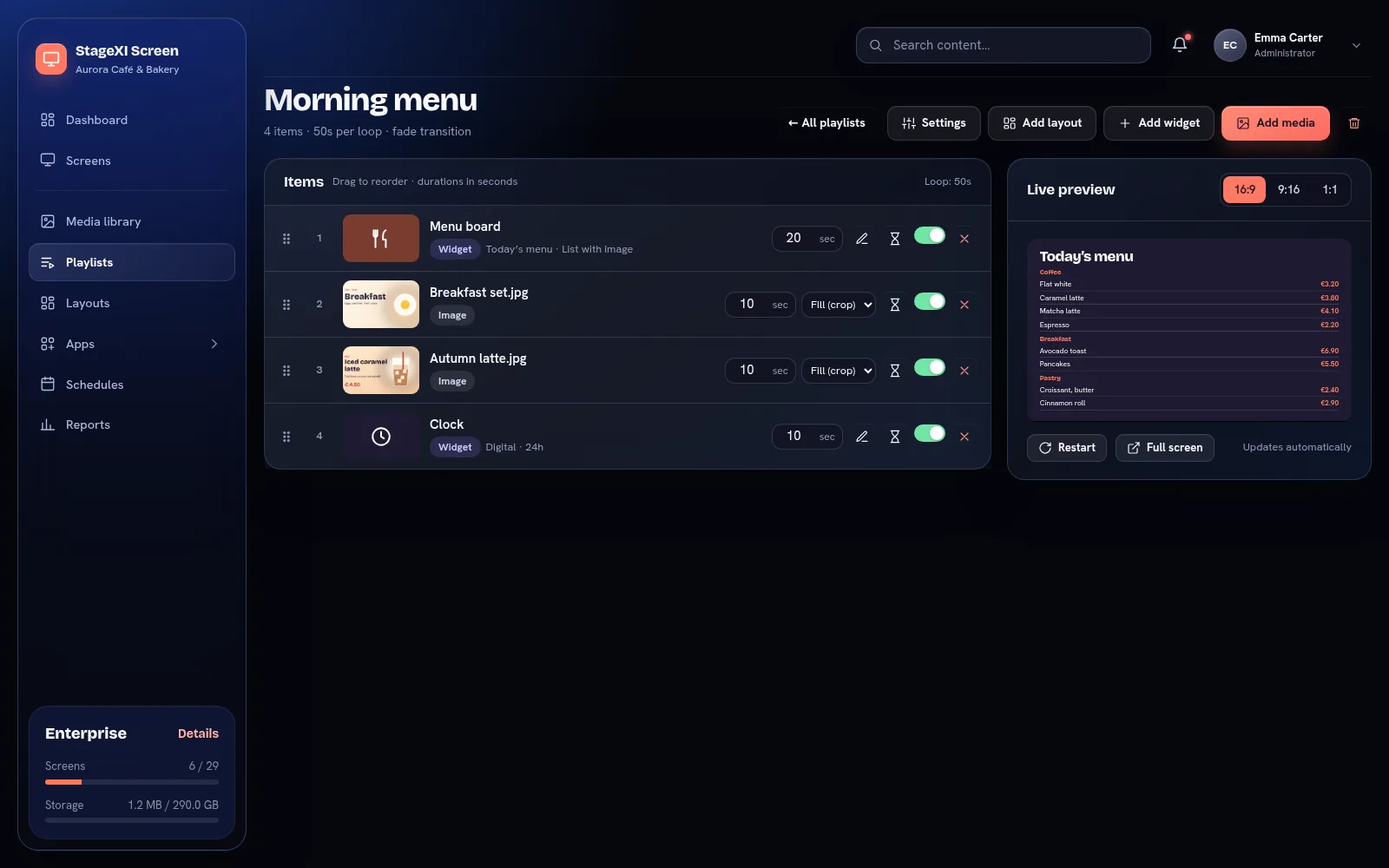
The playlist editor

Drag to reorder

Set how long each item plays, how it fills the screen and whether videos play with sound.

Automatic order

Sort by name, by date added or by expiry date — new files go in their place by themselves.

Layouts with zones

Split the screen into zones, each with its own playlist: video, weather, news and logo side by side.

News ticker

A scrolling bar with your messages under any playlist.

Any shape

Widgets for 16:9, 21:9 or square screens, and custom display areas for LED walls.

Video walls

Several TVs as one big picture, the same picture on each, or their own content — kept in step to the frame.

Scheduling

The screen shows the right thing, even when nobody thinks about it.

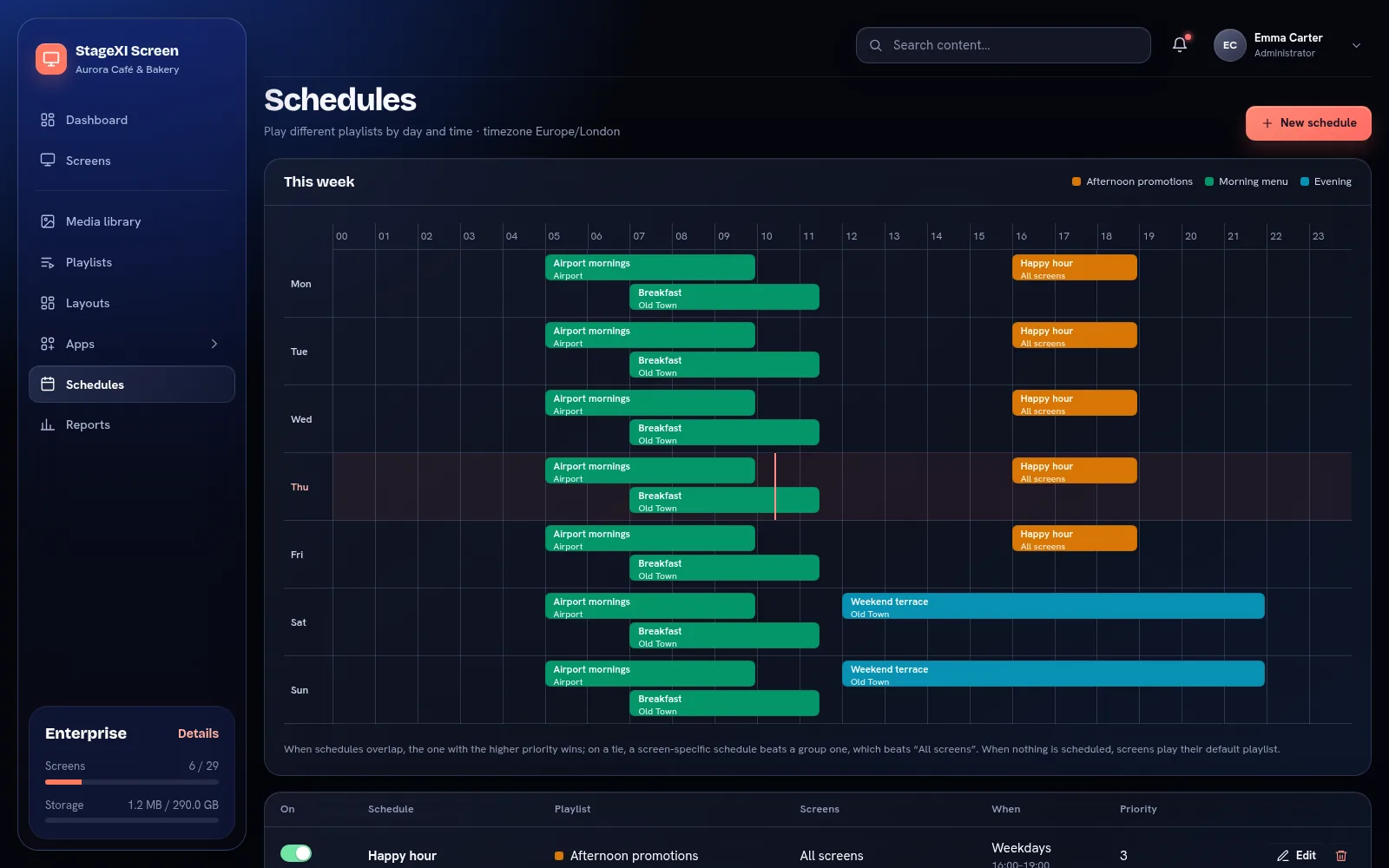
Schedules

Schedules

Play a playlist on all screens, a group or one screen, on chosen days and hours, between two dates.

Priorities

When schedules overlap, the one with the higher priority plays. Everything else falls back to the default playlist.

Working hours

Per screen, with several time ranges per day and special days for holidays. Outside them the screen is black.

Show from / until

Any item or file can start and stop showing at a set moment.

Screens and monitoring

Know that every screen works, without visiting it.

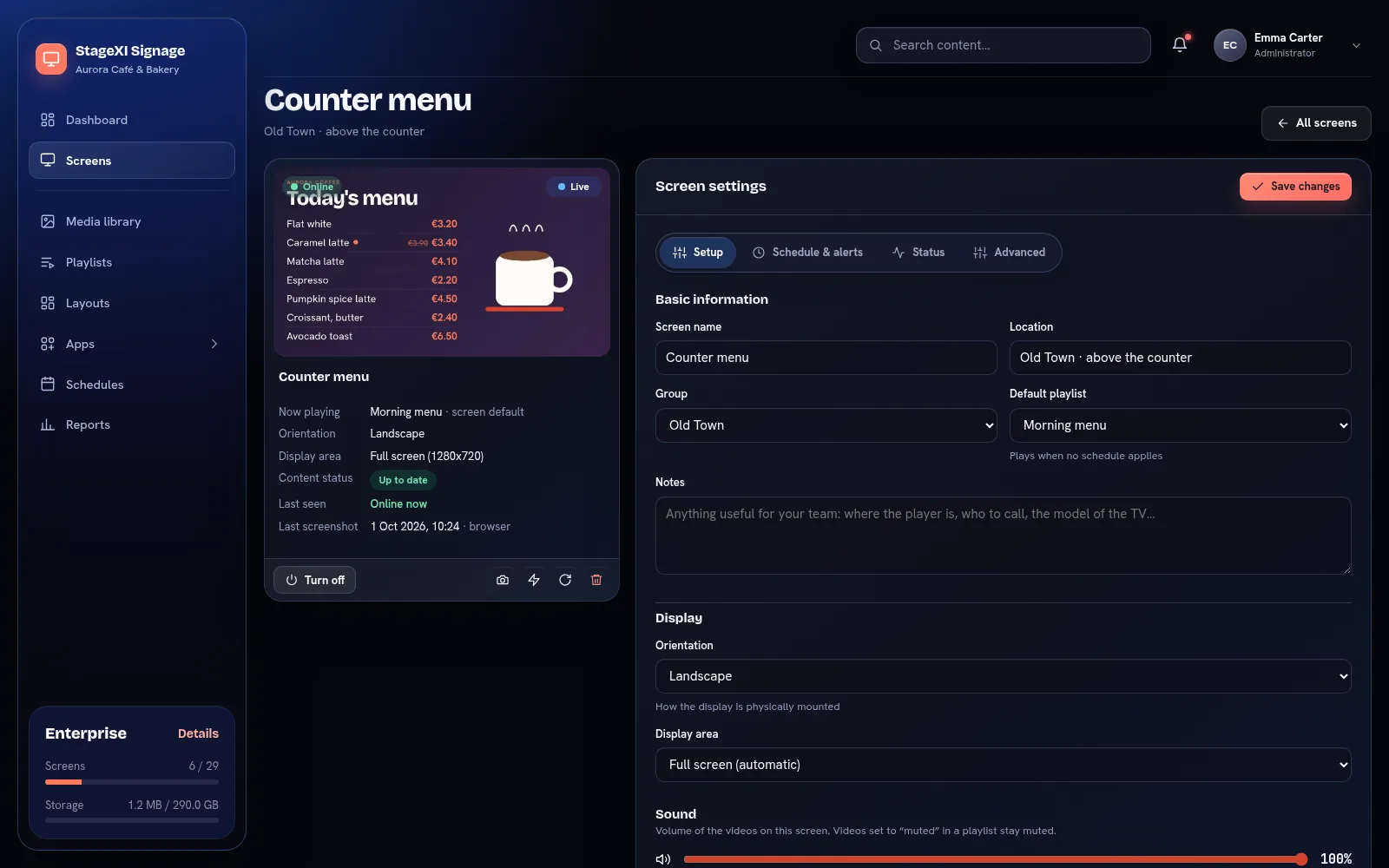
The page of one screen

Live picture

See what each screen shows, updated every few seconds while you watch.

Remote control

Turn screens on and off, reload them, clear their cache or make them show their name.

Offline playback

Screens store their content and keep playing without internet. Changes arrive when the connection is back.

Alerts

Email and push notifications when a screen goes offline and when it comes back.

Content status

See whether each screen has downloaded the latest version of its content.

Groups

Group screens by location or type, give each group a default playlist and schedule it at once.

Remote support

Restart a device, use the remote of an Android TV box or the desktop of a Windows player, from the panel or your phone.

Projector correction

A projector that is not square to the wall? Pull the four corners of the picture into place from the panel, from your phone or on the screen itself.

Show control

For theatres, events and control rooms: screens that answer to a button.

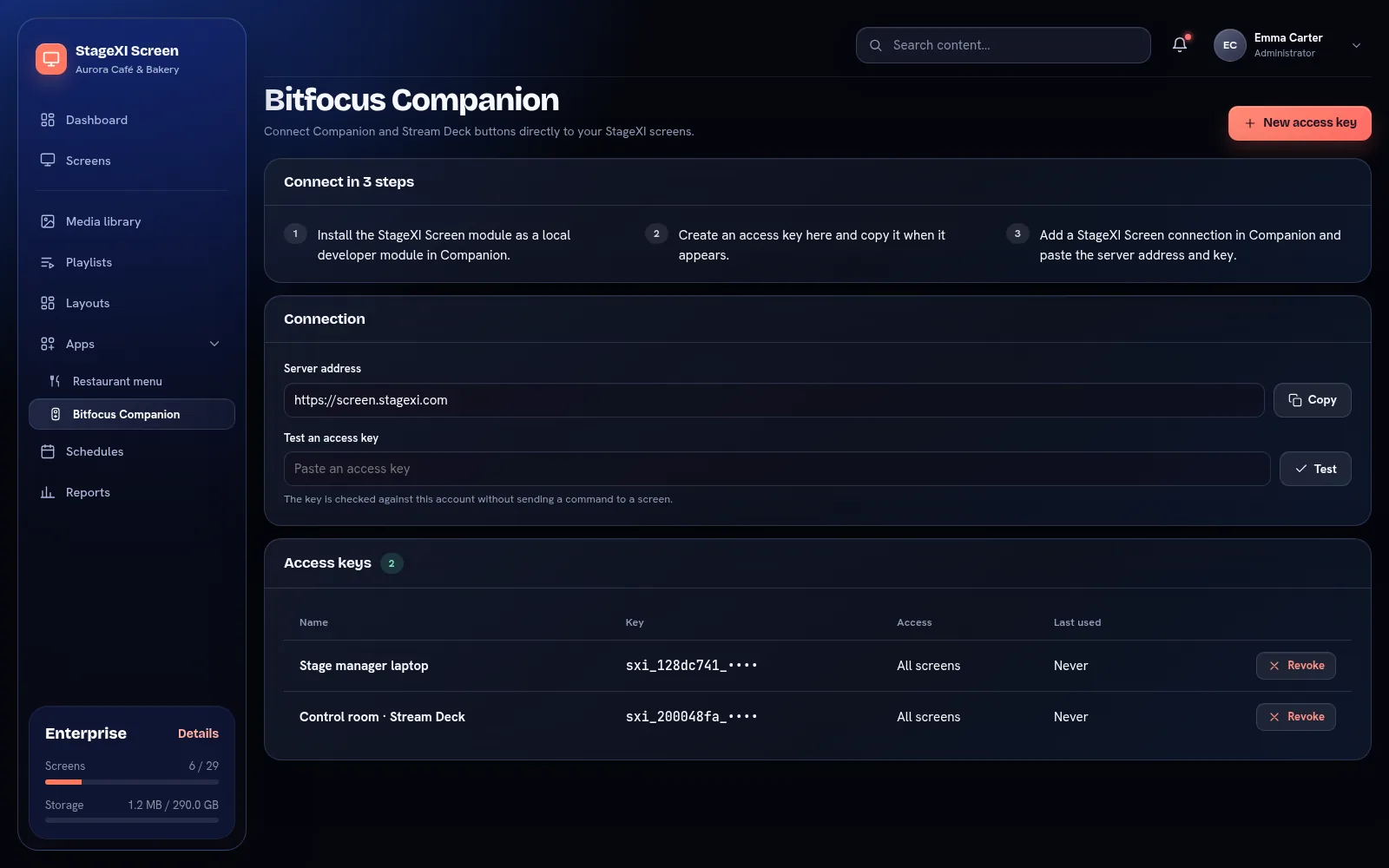
Access keys for Bitfocus Companion

Bitfocus Companion and Stream Deck

A button puts a playlist on a screen or a group, moves to the next item, reloads a screen or turns it off.

Over the schedule, then back

A playlist started from a button plays over the normal schedule until you send the screen back. It survives restarts and reaches screens that were offline.

A message over everything

A message on top of whatever plays, on one screen or on all of them, until you clear it — from a button in the control room.

Access keys

One key for each control computer, limited to the screens or groups it may touch, revoked with one click.

Team and business

For one screen or a network of hundreds.

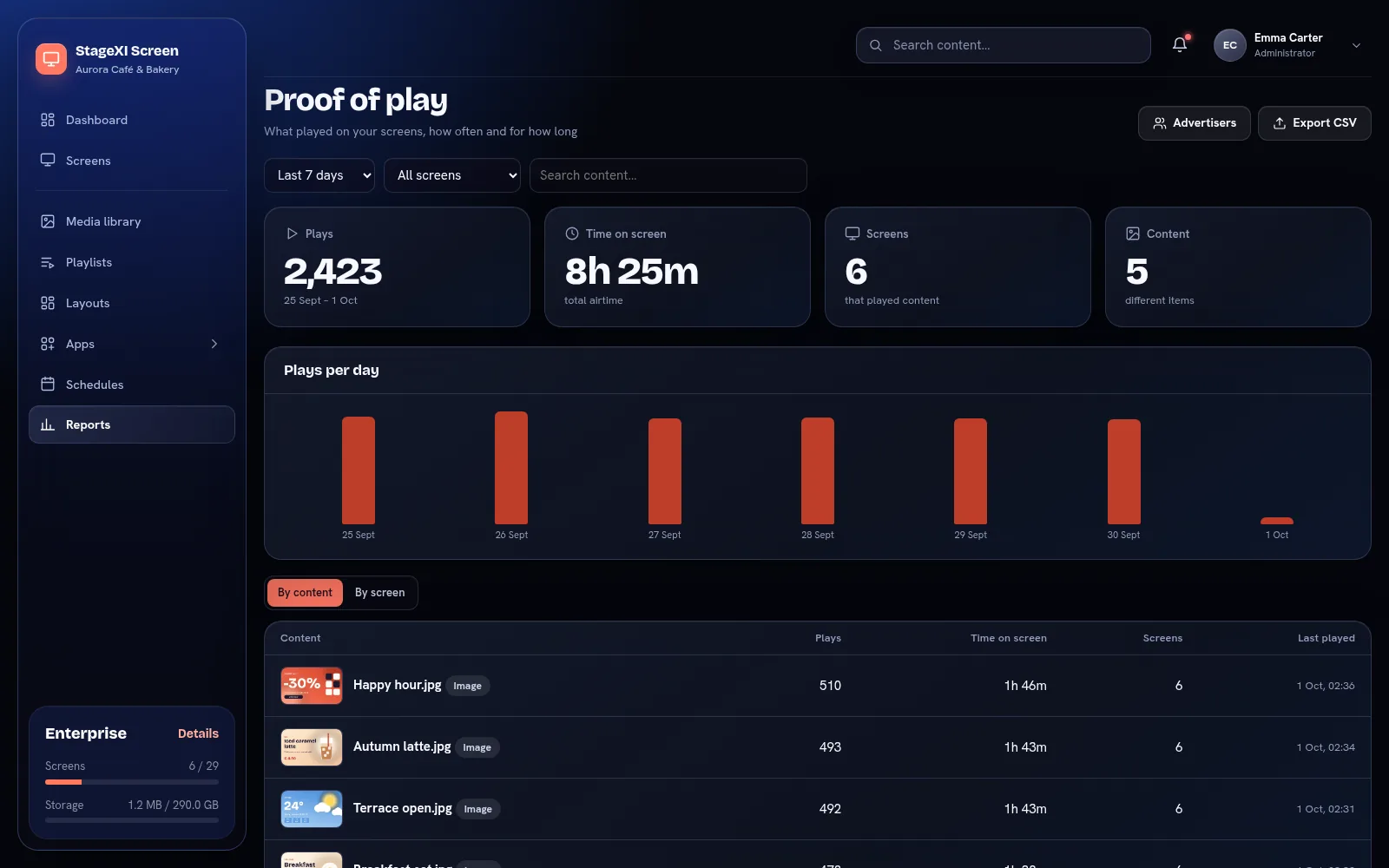
Proof-of-play report

Users and roles

Administrator, editor and viewer roles, or your own roles with exactly the permissions you want.

Access by screen

Limit a user to some screens, groups or playlists — ideal for franchises and store managers.

Proof of play

What played, where, how many times and for how long, exported to CSV.

Advertisers

Share a live report with each advertiser through a private link.

Daily backups

Every night your screens, playlists, schedules and files are saved for 7 days, with one-click restore.

Mobile app

Your screens as live pictures, a photo from your gallery on screen in a few taps, playlists, schedules and working hours — from your phone.

Your first screen can be live in ten minutes.

Free for 14 days, every feature included. No card needed.